Introduction
Finding the best LG 1440p gaming monitor for 2026 means balancing sharp visuals, fast refresh rates, responsive gameplay, and overall value. Whether you're playing competitive shooters, exploring immersive open-world games, or building a premium gaming setup, the right monitor can make a major difference.
LG's UltraGear lineup offers gaming displays with OLED technology, curved screens, high refresh rates, and adaptive synchronization. However, not every LG gaming monitor is equally suitable for every player.
In this guide, I've selected six LG UltraGear monitors, prioritizing native 1440p gaming models before considering ultrawide and higher-resolution alternatives. I'll compare their specifications, strengths, limitations, and ideal gaming scenarios to help you choose.
Quick Summary
For most gamers who want premium 1440p performance, my top recommendation is the LG 27GX704A-B, thanks to its 240Hz OLED display, fast pixel response, and adaptive-sync support. The LG 32GS60QC-B is a practical alternative for players who prefer a larger curved QHD screen, while the LG 34G600A-B offers an ultrawide gaming experience. The remaining models serve gamers considering 4K, 5K2K, or budget-oriented Full HD instead of native 1440p.
Top Product List
- LG 27GX704A-B 27-inch Ultragear QHD (2650x1440) OLED Gaming Monitor 240Hz, 0.03ms, NVIDIA G-Sync Compatible, AMD FreeSync Premium Pro, VESA Display HDR TrueBlack400, HDMI 2.1, DisplayPort, Black — Best for competitive 1440p OLED gaming.
- LG 32GS60QC-B Ultragear 32-inch Curved Gaming Monitor QHD (2560x1440) 180Hz 1ms 1000R AMD FreeSync HDR10 HDMIx2 DisplayPort Borderless Design Black Stabilizer DAS Crosshair FPS Counter - Black — Best for large-screen 1440p gaming and value.
- LG 34G600A-B 34-inch Ultragear WQHD (3440 x 1440) Curved Gaming Monitor 160Hz, AMD FreeSync Premium, HDR10, Built-in Speaker, Reader Mode, HDMI 2.1, DisplayPort, Tilt/Height/Swivel Stand, Black — Best for immersive ultrawide 1440p gaming.
- LG 39GX950B-B 39-inch UltraGear evo 5K2K OLED 165Hz Curved Gaming Monitor — Best for premium ultrawide gaming beyond 1440p.
- LG 32GX850A-B 32" UltraGear 4K UHD (3840 x 2160) Glossy OLED Gaming Monitor, Dual-Mode 165Hz/330Hz, 0.03ms, G-SYNC, FreeSync Premium Pro, TrueBlack 400, HDMI, DP, Tilt/Height/Swivel/Pivot Stand, Black — Best for versatile 4K and high-refresh Full HD gaming.
- LG 27G414B-B 27-inch Ultragear IPS 1080p 144Hz 1ms G-Sync Gaming Monitor — Best for entry-level Full HD gaming as a lower-resolution alternative.
Top 6 Best LG 1440p Gaming Monitor for 2026
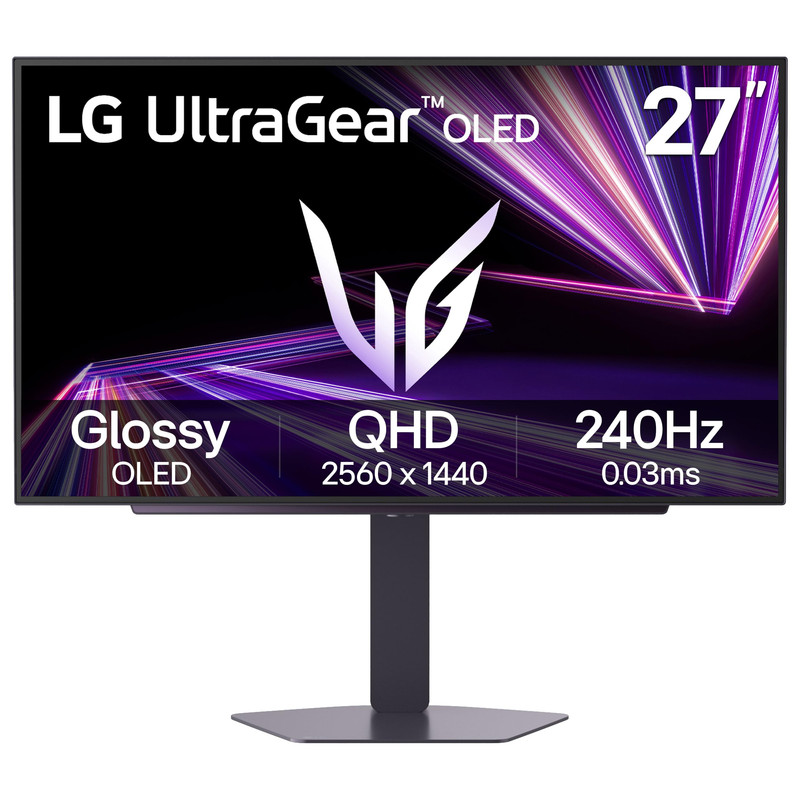
LG 27GX704A-B 27-inch Ultragear QHD (2650x1440) OLED Gaming Monitor 240Hz, 0.03ms, NVIDIA G-Sync Compatible, AMD FreeSync Premium Pro, VESA Display HDR TrueBlack400, HDMI 2.1, DisplayPort, Black
Short Description
The LG 27GX704A-B is my Best Overall LG 1440p gaming monitor in this selection. Its combination of a 27-inch OLED panel, 240Hz refresh rate, and rapid pixel response makes it particularly appealing for fast-paced PC gaming.
Although the supplied product listing says 2650 × 1440, LG's official specification confirms its native resolution is 2560 × 1440.
Key Specifications
- Display: 27-inch OLED
- Native resolution: 2560 × 1440 (QHD)
- Refresh rate: 240Hz
- Response time: 0.03ms GtG (advertised)
- Adaptive sync: NVIDIA G-SYNC Compatible, AMD FreeSync Premium Pro
- HDR: VESA DisplayHDR True Black 400
- Connectivity: HDMI 2.1 and DisplayPort
Pros
- Fast 240Hz refresh rate for competitive gaming.
- OLED delivers deep blacks and excellent contrast.
- Extremely quick pixel transitions help reduce motion blur.
- Adaptive sync helps reduce tearing.
- Strong match for native 1440p gaming.
Cons
- OLED displays require care to reduce burn-in risk.
- Glossy coating can produce distracting reflections.
- Requires a capable GPU to take full advantage of 240Hz.
My Experience
My assessment is based on specifications and independent evaluations, not personal hands-on testing.
What appeals to me most is how well its 27-inch size complements 1440p resolution. The OLED panel also offers the near-instantaneous pixel transitions that make fast-moving game scenes look clear.
I would prioritize this monitor for responsiveness and contrast rather than general-purpose office productivity.
What Other Buyers Say
I couldn't verify a reliable pattern of recurring customer reviews. Independent testing highlights excellent motion clarity, low input lag, and deep blacks, while identifying reflections and variable-refresh-rate flicker as potential drawbacks.
Best For
Competitive FPS gamers, esports enthusiasts, and players who want premium OLED visuals at native 1440p.
➤➤➤ Click Here to Check Price on Amazon
➡️➡️➡️ Explore User Feedback and Current Pricing on Amazon
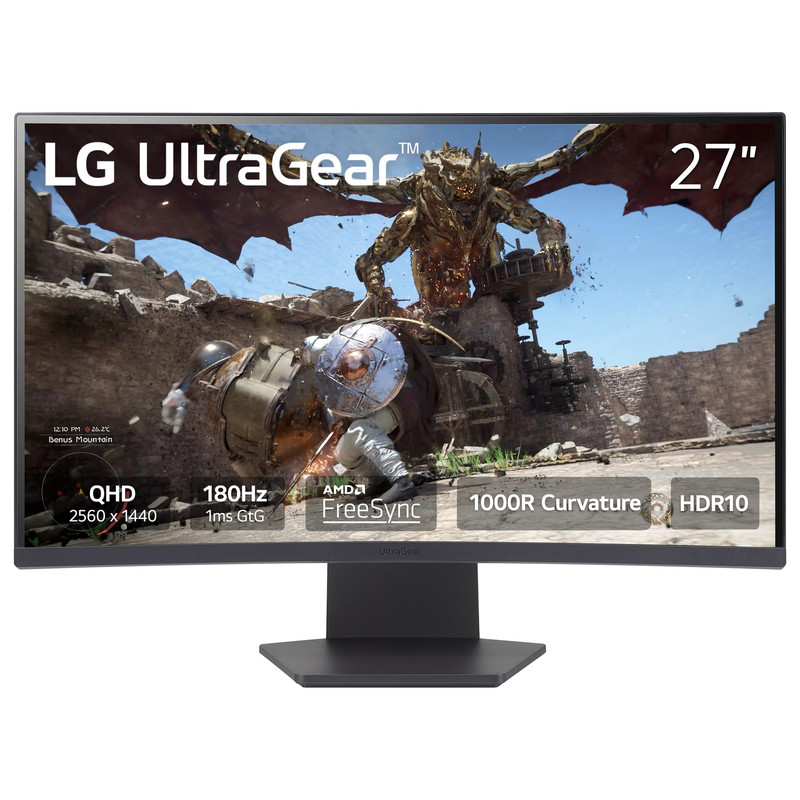
LG 32GS60QC-B Ultragear 32-inch Curved Gaming Monitor QHD (2560x1440) 180Hz 1ms 1000R AMD FreeSync HDR10 HDMIx2 DisplayPort Borderless Design Black Stabilizer DAS Crosshair FPS Counter - Black
Short Description
The LG 32GS60QC-B delivers a larger 32-inch curved gaming experience without moving beyond standard QHD resolution.
Its 180Hz refresh rate and 1000R curvature make it an attractive option for players who enjoy immersive gameplay while keeping GPU requirements more manageable than 4K.
Key Specifications
- Screen size: 32 inches
- Resolution: 2560 × 1440
- Refresh rate: 180Hz
- Curvature: 1000R
- Response time: 1ms GtG (advertised)
- Adaptive sync: AMD FreeSync
- HDR: HDR10
- Connectivity: Two HDMI inputs and DisplayPort
Pros
- Large curved display for immersive gaming.
- Smooth 180Hz refresh rate.
- Native 1440p resolution.
- AMD FreeSync support.
- Gaming-focused display controls.
Cons
- Lower pixel density than a 27-inch 1440p monitor.
- Not as fast as 240Hz alternatives.
- HDR10 support does not guarantee premium HDR performance.
My Experience
From a specification standpoint, I see this as the practical large-screen option. The tight 1000R curve may appeal to gamers who sit centrally in front of their display.
For RPGs, driving games, and general PC gaming, the screen size could provide a more enveloping experience. However, I would prefer a 27-inch QHD screen for users who prioritize sharper-looking text at a typical desk distance.
What Other Buyers Say
A reliable consensus from verified owners wasn't available, so I wouldn't claim proven customer satisfaction or report unverified complaints.
Best For
Gamers seeking a larger curved 1440p screen with a high refresh rate and a sensible feature set.
➤➤➤ Click Here to Check Price on Amazon
➡️➡️➡️ Explore User Feedback and Current Pricing on Amazon
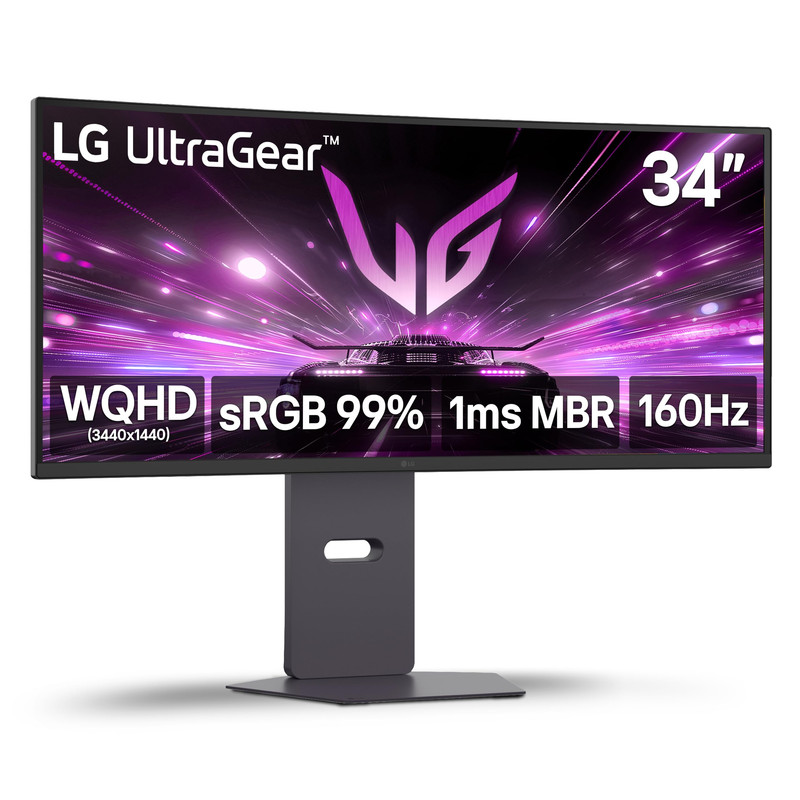
LG 34G600A-B 34-inch Ultragear WQHD (3440 x 1440) Curved Gaming Monitor 160Hz, AMD FreeSync Premium, HDR10, Built-in Speaker, Reader Mode, HDMI 2.1, DisplayPort, Tilt/Height/Swivel Stand, Black
Short Description
The LG 34G600A-B is a strong choice for gamers who want more horizontal screen space than a traditional 1440p monitor.
Its 3440 × 1440 resolution provides an ultrawide format suited to expansive gaming environments and multitasking.
Key Specifications
- Display: 34-inch curved VA
- Resolution: 3440 × 1440
- Aspect ratio: 21:9
- Refresh rate: 160Hz
- Curvature: 1800R
- Motion blur reduction: 1ms MBR
- Adaptive sync: AMD FreeSync Premium
- HDR10 support
- Built-in speakers
Pros
- Expansive 21:9 ultrawide format.
- Smooth 160Hz gaming.
- Built-in speakers add convenience.
- Adjustable stand.
- Useful for gaming and productivity.
Cons
- Ultrawide resolution requires more GPU power than standard QHD.
- Some games have limited 21:9 support.
- Its 1ms MBR specification is not the same as 1ms GtG.
My Experience
I consider this an attractive alternative for players who favor immersion over the fastest possible refresh rate.
The extra horizontal space can be particularly useful for racing simulators, exploration games, and multitasking. Its VA panel and 1800R curvature are also well suited to a centrally positioned gaming desk.
What Other Buyers Say
I couldn't establish recurring verified customer feedback. Its documented features indicate a versatile gaming monitor, but they don't establish long-term reliability or customer satisfaction.
Best For
Racing enthusiasts, simulation gamers, open-world players, and users wanting one ultrawide screen for gaming and work.
➤➤➤ Click Here to Check Price on Amazon
➡️➡️➡️ Explore User Feedback and Current Pricing on Amazon
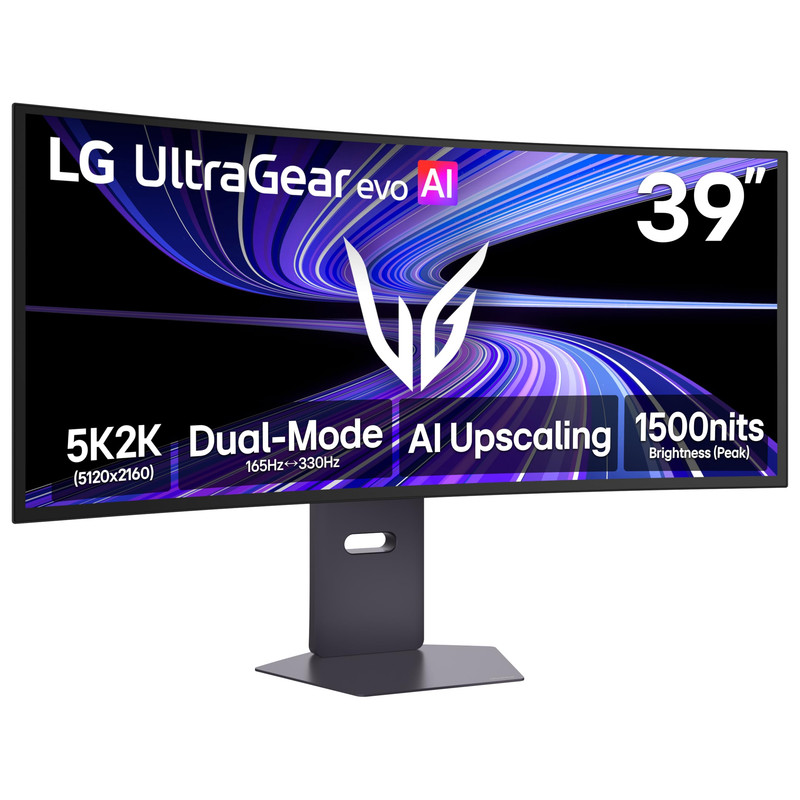
LG 39GX950B-B 39-inch UltraGear evo 5K2K OLED 165Hz Curved Gaming Monitor
Short Description
The LG 39GX950B-B is a premium ultrawide OLED monitor aimed at enthusiasts who want significantly more resolution than 1440p.
It's not a native 1440p monitor, but its 5K2K display makes it a compelling upgrade alternative for powerful gaming PCs.
Key Specifications
- Display: 39-inch curved OLED
- Resolution: 5120 × 2160
- Native refresh rate: 165Hz
- Dual Mode: Up to 330Hz at reduced resolution
- Response time: 0.03ms GtG
- HDR: DisplayHDR True Black 500
- Connectivity: DisplayPort 2.1, HDMI 2.1, USB-C with 90W power delivery
Pros
- Expansive, high-resolution OLED display.
- Excellent contrast potential.
- Dual-mode refresh flexibility.
- Modern connectivity.
- Attractive for immersive gaming and creative work.
Cons
- Not native 2560 × 1440.
- Very demanding at its full resolution.
- Large physical footprint.
- OLED burn-in remains a consideration.
My Experience
Based on its specifications and independent assessments, this would be my luxury ultrawide choice.
I particularly appreciate its combination of high pixel density, OLED contrast, and dual refresh modes. However, I wouldn't recommend buying it solely for conventional 1440p gaming.
What Other Buyers Say
Verified recurring owner feedback wasn't sufficiently established. Independent evaluations identify improved text clarity relative to larger 5K2K OLED designs and emphasize its premium gaming capabilities.
Best For
Enthusiasts with high-end GPUs who prioritize cinematic immersion, premium image quality, and expansive ultrawide gaming.
➤➤➤ Click Here to Check Price on Amazon
➡️➡️➡️ Explore User Feedback and Current Pricing on Amazon
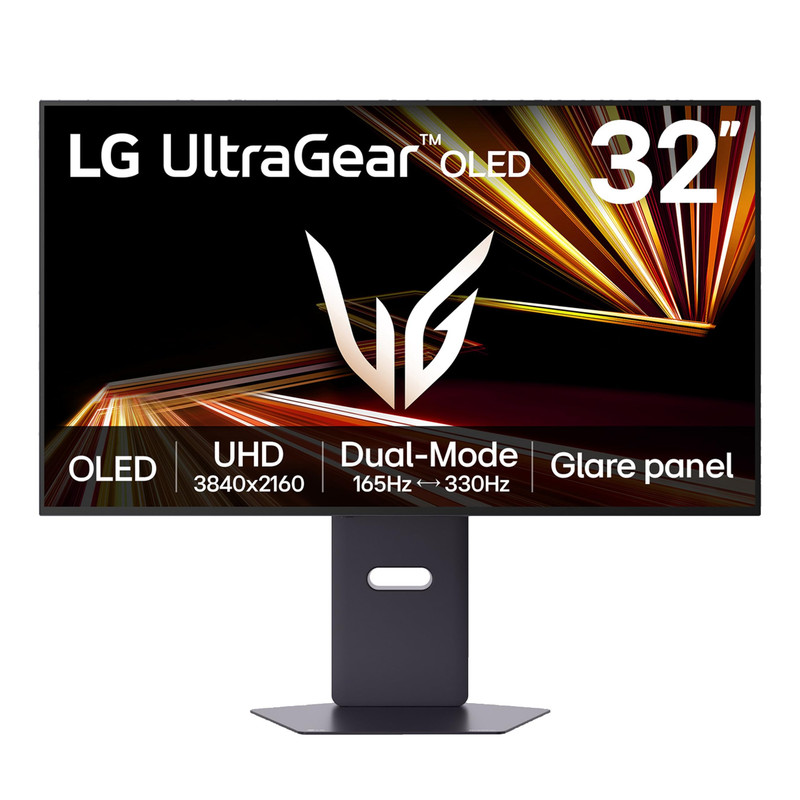
LG 32GX850A-B 32" UltraGear 4K UHD (3840 x 2160) Glossy OLED Gaming Monitor, Dual-Mode 165Hz/330Hz, 0.03ms, G-SYNC, FreeSync Premium Pro, TrueBlack 400, HDMI, DP, Tilt/Height/Swivel/Pivot Stand, Black
Short Description
The LG 32GX850A-B is designed for gamers who want premium 4K visuals alongside a high-refresh competitive gaming mode.
It is a higher-resolution alternative rather than a native 1440p display.
Key Specifications
- Display: 32-inch glossy OLED
- Resolution: 3840 × 2160
- Dual Mode: 4K at 165Hz or Full HD at 330Hz
- Response time: 0.03ms GtG
- Adaptive sync: G-SYNC Compatible, FreeSync Premium Pro
- HDR: DisplayHDR True Black 400
- Stand: Tilt, height, swivel, and pivot adjustment
Pros
- Sharp 4K OLED picture.
- Flexible dual-mode operation.
- Fast OLED pixel response.
- Adjustable ergonomic stand.
- Adaptive-sync support.
Cons
- Does not offer native 1440p.
- 330Hz mode uses Full HD resolution.
- Glossy surface may reflect room lighting.
- Higher hardware demands at 4K.
My Experience
I like the flexibility of its two operating modes. Players can prioritize detailed 4K visuals in story-driven titles, then select the faster Full HD mode for competitive games.
For someone specifically seeking a 1440p monitor, however, I would still favor the LG 27GX704A-B.
What Other Buyers Say
I couldn't verify sufficient recurring customer feedback to summarize owner experiences responsibly.
Best For
Gamers who alternate between demanding 4K titles and fast-paced competitive games.
➤➤➤ Click Here to Check Price on Amazon
➡️➡️➡️ Explore User Feedback and Current Pricing on Amazon
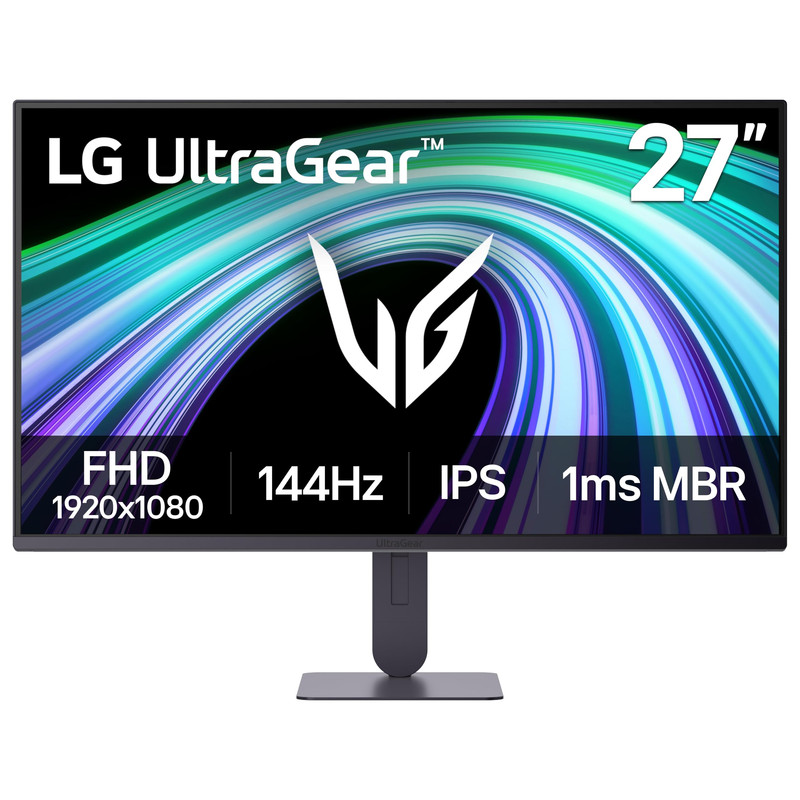
LG 27G414B-B 27-inch Ultragear IPS 1080p 144Hz 1ms G-Sync Gaming Monitor
Short Description
The LG 27G414B-B is an entry-level Full HD alternative for gamers who prioritize refresh rate and accessibility rather than 1440p resolution.
It should not be confused with a native QHD monitor.
Key Specifications
- Screen size: 27 inches
- Panel: IPS
- Resolution: 1920 × 1080
- Refresh rate: 144Hz
- Advertised response time: 1ms
- Listed synchronization feature: G-SYNC
Pros
- 144Hz refresh rate.
- IPS viewing characteristics.
- Lower rendering demands than QHD.
- Suitable for entry-level gaming systems.
Cons
- Not a 1440p monitor.
- Lower pixel density at 27 inches.
- Less detailed image than QHD and 4K alternatives.
My Experience
I would consider this monitor for a gaming PC that struggles to maintain high frame rates at 1440p.
Its Full HD resolution can be more manageable for modest graphics hardware, although the lower pixel density is a meaningful compromise.
I would verify its exact adaptive-sync implementation before purchasing.
What Other Buyers Say
I couldn't verify a dependable pattern of customer feedback for this specific model, so long-term durability and owner satisfaction remain unconfirmed.
Best For
Budget-conscious gamers, entry-level PC setups, and players who favor Full HD performance over higher resolution.
➤➤➤ Click Here to Check Price on Amazon
➡️➡️➡️ Explore User Feedback and Current Pricing on Amazon
How to Choose the Right PC Gaming Product
When choosing the best LG 1440p gaming monitor for 2026, I recommend focusing on these factors:
- Resolution: Choose 2560 × 1440 for traditional QHD gaming or 3440 × 1440 for ultrawide immersion. Higher resolutions require more graphics processing power.
- Refresh rate: 144–180Hz is suitable for many gamers, while 240Hz and above can benefit competitive players with sufficiently fast PCs.
- Panel technology: OLED excels at contrast and pixel response; IPS offers versatile viewing characteristics; VA can deliver strong native contrast.
- Graphics compatibility: Check that your GPU can support the monitor's target resolution and refresh rate through its available ports.
- Connectivity: Confirm HDMI and DisplayPort versions, adaptive-sync support, and any USB-C requirements.
- Ergonomics: Consider stand adjustment, desk depth, viewing distance, curvature, and VESA mounting.
- Thermals and power: High-resolution gaming places more load on the graphics card. Check your PC cooling and power capacity.
- Durability: Review warranty coverage, OLED care features, and the retailer's return policy.
- Value: Compare the features you'll genuinely use instead of assuming the highest resolution is automatically the best choice.
FAQs
1. What is the best LG 1440p gaming monitor for 2026?
My top choice among these six is the LG 27GX704A-B because it combines native 1440p resolution, a 240Hz OLED panel, and fast pixel response.
2. Is 1440p better than 1080p for gaming?
1440p provides more image detail than 1080p, but also requires more GPU performance. The better choice depends on your hardware and preferred games.
3. Is a 27-inch or 32-inch LG 1440p monitor better?
I generally prefer 27 inches for QHD sharpness at a desk. A 32-inch model may be more appealing if screen size and immersion are your priorities.
4. Is an LG OLED 1440p monitor worth buying?
Yes, particularly for players who value deep blacks, quick pixel response, and strong motion clarity. OLED requires additional consideration regarding burn-in and reflective screen coatings.
5. Should I buy a 1440p or 4K LG gaming monitor in 2026?
Choose 1440p if you prioritize high frame rates and balanced GPU requirements. Choose 4K if visual detail matters more and you have sufficiently powerful hardware.
Conclusion
The best LG 1440p gaming monitor for 2026 depends on whether you prioritize competitive speed, immersive screen size, or premium visual quality.
My final recommendations are:
- Best Overall: LG 27GX704A-B — The strongest traditional 1440p gaming option, combining OLED visuals with a 240Hz refresh rate.
- Best Value: LG 32GS60QC-B — A practical 32-inch curved QHD option with a smooth 180Hz refresh rate. Actual value depends on current pricing.
- Best Premium Choice: LG 39GX950B-B — An impressive higher-resolution ultrawide OLED alternative for enthusiasts willing to move beyond standard 1440p.
For most gamers specifically shopping for native 1440p, I would choose the LG 27GX704A-B. It offers the most compelling balance of image quality, responsiveness, and gaming-focused features among these six models.